
How to Use a Running App Smartly: A Complete Guide to GPS, Pace, and Heart Rate
💡 Key Summary
✅ The 4 core metrics a running app shows are distance, pace, heart rate, and cadence
✅ GPS distance varies 5–10% from app to app. It's best to stick with one app consistently
✅ Heart-rate Zone 2 (60–70% of your max heart rate) is the golden zone for weight loss and endurance
Open a running app and the screen is packed with numbers — distance, pace, heart rate, cadence, elevation, calories, and more. "Do I have to look at all this?" you wonder, right? This article is for beginner-to-intermediate runners who've just started using a running app but don't quite know what the numbers on screen mean. I'll break down, in plain terms, which metrics to watch and how to make them help your training, and how to judge how trustworthy the data is.
1. Why Should You Log Running Data?
Plenty of people ask, "Can't I just run by feel?" You can, but logging creates three big differences.
① You can see real changes in ability
The feeling of "I think I ran a bit faster today" changes every day. But pace data doesn't lie. If a pace that averaged 7:00/km a month ago is now 6:30/km, getting 30 seconds faster is an objective fact.
② You can prevent injuries in advance
If your weekly distance suddenly jumps 30%, that's an injury-risk signal. When an app automatically logs your cumulative distance, you can catch an excessive load before it's too late. The detailed injury mechanisms are in the Injury Prevention Guide.
③ Your motivation stays up
Seeing your records pile up makes you feel "it'd be a shame to quit now." Apps with character rewards and badge systems are fun like a game, so consistency holds up well.
2. The 4 Metrics a Running App Measures
Out of all the numbers on a running app's screen, knowing just 4 is plenty.
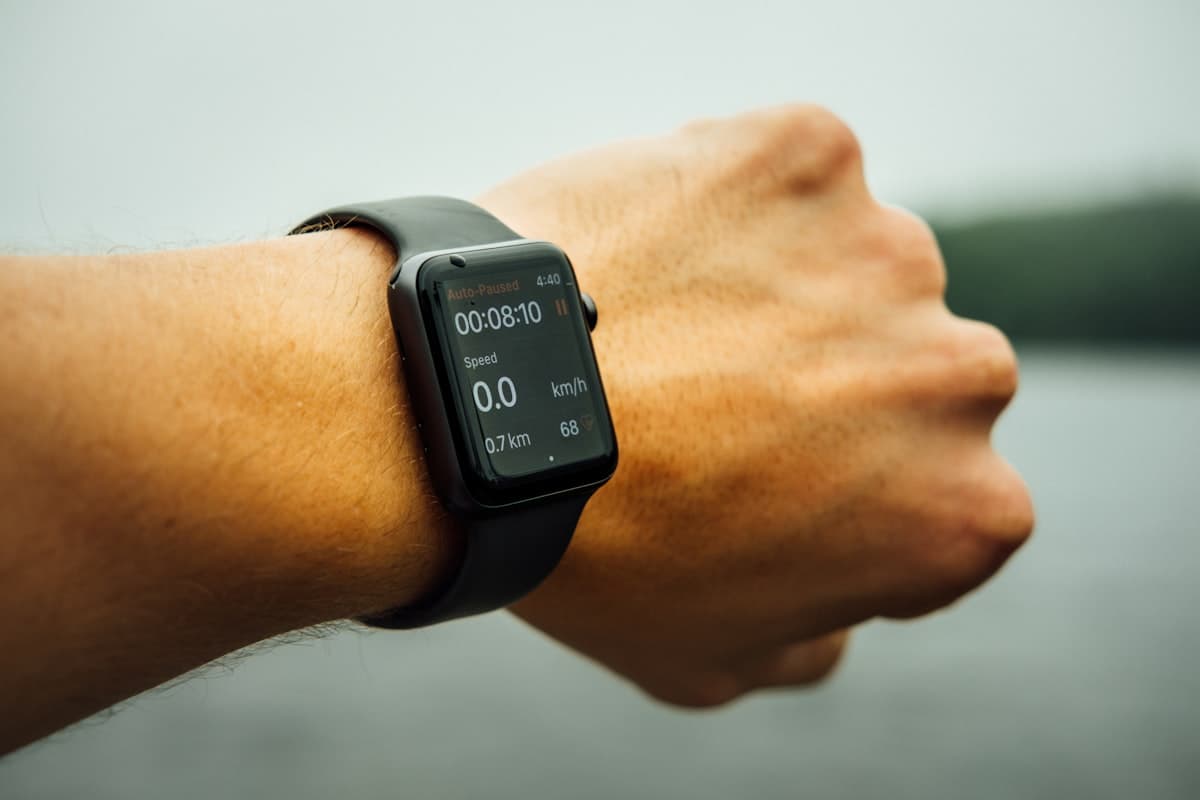
| Metric | Unit | Meaning |
|---|---|---|
| Distance | km | How far you ran in one session |
| Pace | min:sec/km | How many minutes you run 1 km in (less time = faster) |
| Heart rate | bpm (beats per minute) | Shows exercise intensity most accurately |
| Cadence | spm (steps per minute) | How many times your feet hit the ground per minute |
Distance
The most basic metric. Because it's measured by GPS, there's error (see section 5 below). Cumulative distance is also useful for knowing when to replace your running shoes (usually 500–800 km). See the replacement signs in the Running Shoe Guide.
Pace
The metric that shows training intensity most intuitively. 6:00/km means you run 1 km in 6 minutes. A person who runs a 5K in 30 minutes has an average pace of 6:00/km.
Heart Rate
The most accurate metric, showing exercise intensity objectively. Even at the same pace, your heart rate changes with your condition. On days you're not feeling great, your heart rate runs higher. (For detailed use, see section 4.)
Cadence
Steps per minute. 170–180 spm is the golden zone with the lowest injury risk. If cadence is too low (under 160), each stride gets longer, increasing the strain on your knees.
3. How to Read and Use Pace (min/km)
Pace is decisive when setting distance goals like a 5K or 10K. You have to know your pace to calculate a target time.
How to Calculate Pace
Target time ÷ distance = pace
- 5K in 30 minutes → 30 ÷ 5 = 6:00/km
- 10K in 60 minutes → 60 ÷ 10 = 6:00/km
- A half marathon (21.1 km) in 2 hours → 120 ÷ 21.1 ≈ 5:41/km
Manage Pace in 3 Levels
| Pace type | Intensity | Use |
|---|---|---|
| Easy pace | Conversational speed | 80% of everyday training |
| Target pace | Slightly out of breath | Tempo runs, races |
| Interval pace | Only doable in short bursts | Once a week, in short bursts |
It's most efficient to run 80% of all your training at an easy pace. Running fast every time brings injury and burnout. This principle applies the same way in the Running Diet Guide and 10K 8-Week Training.
💡 Tip
Don't obsess over pace at first. For your first 3 months, a goal of "run 30 minutes at a conversational speed" is plenty. Being conscious of pace comes only after you have a distance goal like a 5K or 10K.
4. Heart-Rate Zones 1–5 at a Glance
Heart rate is divided into 5 zones based on your maximum heart rate (MHR). The MHR estimation formula is simple.
Max heart rate ≈ 220 − your age
If you're 30, then 220 − 30 = 190 bpm is your max heart rate.
The 5 Zones and Their Uses
| Zone | % of max HR | At age 30 (190) | Feel | Use |
|---|---|---|---|---|
| Zone 1 | 50–60% | 95–114 | Very comfortable | Warm-up, cooldown |
| Zone 2 | 60–70% | 114–133 | Conversational | Weight loss, endurance (core) |
| Zone 3 | 70–80% | 133–152 | Only short sentences | Tempo run |
| Zone 4 | 80–90% | 152–171 | Breathing is rough | Intervals |
| Zone 5 | 90–100% | 171–190 | Can't talk | Short sprints |
Why Zone 2 Is the Core of Weight Loss
The intensity that burns body fat most efficiently is Zone 2. Even the American Heart Association (AHA) recommends it in its official materials as the golden zone for aerobic exercise. The detailed principles are in the Running Diet Guide.
How to Check Heart Rate Without a Smartwatch
You're fine without a smartwatch. The talk test is the simplest.
- Can talk to the person next to you in short sentences without breaking up → Zone 2 (ideal)
- Only short words work → Zone 3–4
- Even one word is hard → Zone 5 (too fast)
The talk test is 95% accurate. Don't rely too much on data — watch your body's signals alongside it.
5. 5 Tips to Reduce GPS Error
"The distance comes out differently in each app — which one is right?" is the question I get most. Every GPS app has 5–10% error. A typical smartphone GPS has location accuracy within a 5–10 m range, and when that accumulates, it leads to distance error.
Here are 5 tips to minimize the error.
- Wait 1–2 minutes before starting: Give the GPS time to lock onto enough satellites. Start running the instant you set off and your early-distance reading is inaccurate.
- Avoid building canyons: Between high-rise buildings, GPS signals bounce and error grows. When you can, choose open places like parks or riversides.
- Watch out for tunnels and underground sections: The GPS signal cuts out and distance gets dropped.
- Use one app consistently: Each app calculates distance differently, so to track your own progress, sticking with one app is more accurate.
- Disable GPS on a treadmill: Indoors, use manual distance entry instead of GPS, or a smartwatch's accelerometer.
⚠️ Caution
It's normal for distance to differ by 0.2–0.5 km between apps. "I ran 5.3 km today but my friend's says 5.6 km" — both are right. The trend in your own data matters more than the absolute value.
6. 5 Criteria for Choosing a Running App
Here are the criteria for picking the right app for you among the many out there.
| Criterion | Description |
|---|---|
| GPS accuracy | Whether distance and pace stay consistent when you run the same course several times |
| Battery efficiency | Good if it uses 10–15% of battery per hour. Over 20% is inefficient |
| Fun factor | Motivation systems like characters, missions, badges, and rankings |
| Social features | Whether you can share records with friends and join challenges |
| Free limits | Whether core features aren't locked behind a paywall |
Traps Beginners Often Fall Into
- Dazzled by advanced features: Advanced features like carbon-plate analysis or VO2 max calculation mean nothing to a beginner. Having the basic 4 metrics accurate is enough
- Using several apps at once: Your data gets scattered, making it hard to see your progress trend. Stick with one app
- Paywalls forced on you: Core features (distance, pace, heart rate) should be free
7. What Makes the Wittiz App Different
The Wittiz app has two things that set it apart from a typical running app.
① The fun of running with a character (Moongti)
For anyone who finds running alone boring, the character Moongti runs alongside you. You dress up the character based on your cumulative distance, and completing missions earns new items. A small motivation like "Should I buy Moongti a new hat today?" is what gets you to put on your shoes every day.
② A mission and donation system
Points pile up in proportion to how far you run, and with those points you can donate to society. When running isn't simply for your own health but gains the meaning of "someone gets help in proportion to how far I run," your consistency changes.
These game elements and the donation system are features unique to Wittiz that most global running apps don't have.
Try it for yourself in the Wittiz app!
Frequently Asked Questions (FAQ)
My running apps all show different GPS distances — which is right?
Every GPS app has 5–10% error. You can't declare that one app is "right." Even running the same 5 km course, it's normal for apps to read 4.8–5.3 km. Rather than the absolute value, trend data you get from consistently using one app is far more meaningful. Test on a regulation track with 1 km markers (e.g., a school field of 400 m × 12.5 laps = 5 km) and you can learn your app's error pattern.
Can I measure heart rate without a smartwatch?
Most running apps can't measure heart rate without a smartwatch. But the talk test is a 95%-accurate alternative. If you can talk to the person next to you in short sentences without breaking up, you're in Zone 2 (the golden zone for weight loss and endurance). For a beginner, the talk test is plenty before buying an expensive smartwatch.
Are the calories a running app measures accurate?
They're almost always shown as more than reality. Generally, 70–80% of the calories an app displays is your actual burn. If you're dieting, to avoid the "I worked out, so..." reward mindset, it's safer to assume you burned 20–30% less than the displayed value. The diet-plateau article covers this trap in detail.
Can I log app records on a treadmill, too?
You can, but accuracy drops. Since GPS doesn't work indoors, you have to enter distance and time manually or use a smartwatch's accelerometer. Some treadmills also link with apps over Bluetooth. The most accurate method is to enter the treadmill screen's distance and time into the app manually.
What's the difference between a free and a paid running app?
Core features (distance, pace, heart rate) are offered for free by most apps. Paid features are usually things like advanced analysis (weekly trends, pace prediction, custom training plans), ad removal, and cloud backup. For a beginner, the free features are plenty. After running consistently for 6 months to a year, if you start needing more precise analysis, moving to paid then isn't too late.
Wrapping Up
Making the most of a running app comes down to something simple: focus on the 4 basic metrics (distance, pace, heart rate, cadence) + use one app consistently + prioritize your body's signals over data. An app is just a tool; real progress comes from the habit of putting on your shoes every day.
Open your running app today and start by checking your average pace. If a month from now that same pace is 30 seconds per km faster, that's real progress. Moongti will be measuring right alongside you!

This article was written by the Wittiz team and includes app-related content. When training with heart-rate data, if you have an underlying condition, please be sure to consult a medical professional.